

Mastering Cruise Control Mode in Starfield: A Comprehensive Guide
Starfield’s Free Lanes update brings exciting new gameplay features, particularly focusing on the Cruise Control mode. This innovative addition enhances the space travel experience, making exploration within the star systems more interactive. In this guide, we will delve into how to unlock Cruise Control, its functionalities, and essential gameplay strategies to maximize this feature.
Core Gameplay Mechanics
With the introduction of Cruise Control mode in Starfield, players can expect a more engaging way to traverse the vastness of space. Once unlocked, this mode allows you to travel between planets and interact with various points of interest (POIs) more dynamically.
How to Unlock Cruise Control Mode in Starfield
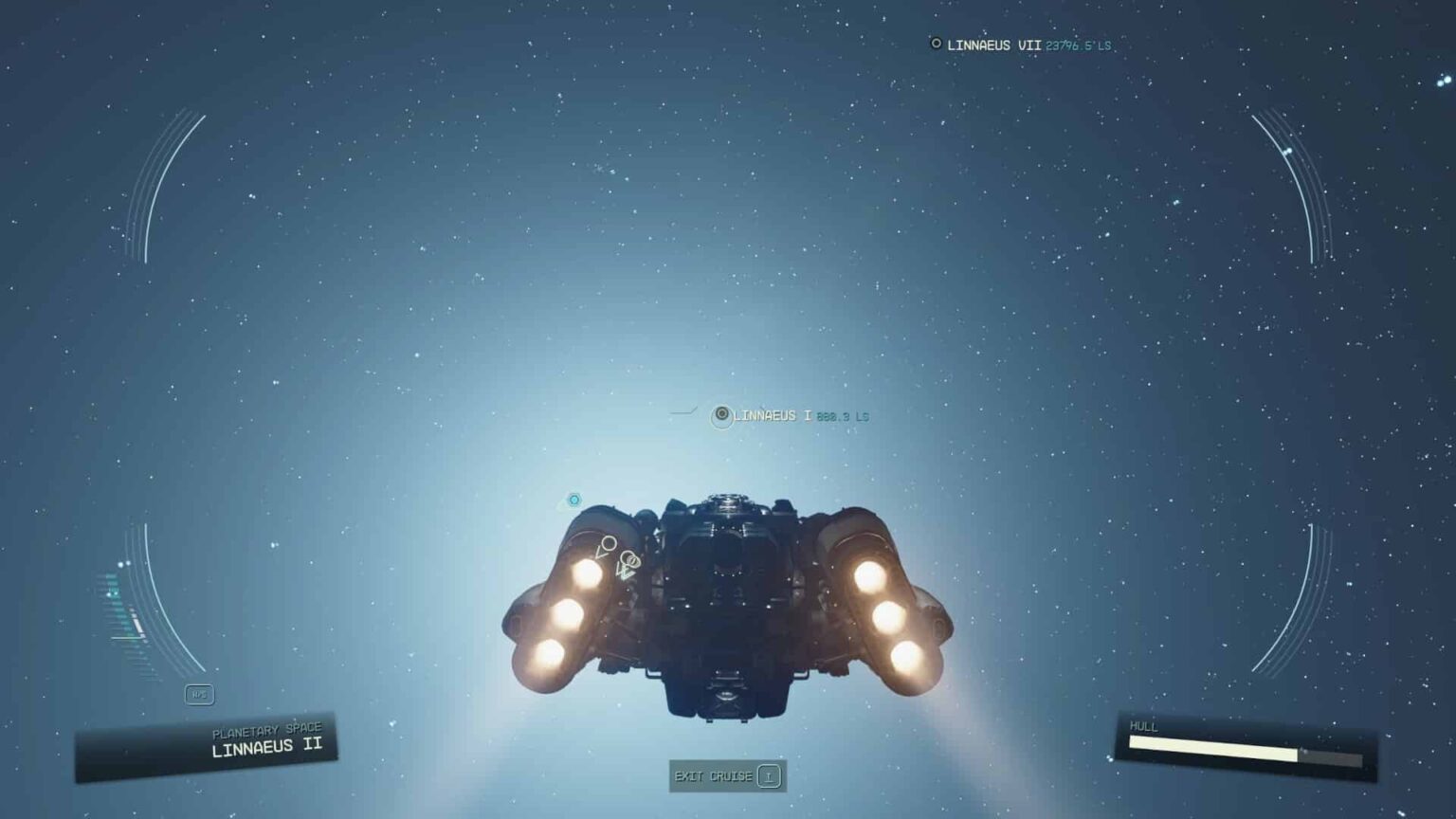
To access Cruise Control, players must first complete the main storyline and submit the initial artifact encountered. After this pivotal moment, you can venture into space freely. When you find yourself orbiting a planet, look for a button prompt at the bottom of your HUD, typically LB, L1, or T, depending on your input method. Holding this button for a few seconds activates Cruise Control, creating an immersive loading experience where your ship approaches the selected destination.
Utilizing Cruise Control Effectively
As you engage Cruise Control, you can pinpoint targets in your vicinity. The journey towards your chosen planet not only serves as a fascinating loading screen but also presents opportunities for exploration. Expect to see floating debris, other ships, and possibly some interactive elements around the point of interest upon arrival, enhancing your gameplay experience significantly.
While in Cruise Control mode, players can multitask; feel free to walk around your ship, interact with companions, manage inventory, or even engage in ship maintenance tasks. This flexibility allows for a more personal and hands-on experience during what would traditionally be a mundane loading sequence.
Beginner Tips for Navigating Space in Starfield
If you are new to Starfield, it is crucial to get accustomed to using Cruise Control efficiently. Here are some beginner tips:
- Explore Early: Engage with the Cruise Control feature right after unlocking it. Familiarize yourself with the mechanics and how to control your ship’s navigation.
- Targeting Practice: When selecting destinations, practice aiming at different points of interest. This will help you learn how the Cruise Control reacts to various targets.
- Engage with Your Environment: Pay close attention to the surrounding space. Engaging with debris or other ships can lead to exciting encounters and opportunities.
Advanced Strategies for Experienced Players
For those who are well-versed in Starfield, the following advanced strategies can enhance your use of Cruise Control:
- Utilize Ship Components: Ensure your ship is upgraded with the latest components and systems before embarking on long voyages. This will not only improve your speed but also enhance interactions during Cruise Control.
- Planning Your Routes: Map out your travel routes to include multiple points of interest in one trip to maximize resource gathering and exploration.
- Stay Aware of Encounters: While traveling, remain vigilant for other players or NPC ships. Engaging or avoiding these encounters can alter your gameplay experience significantly.
Common Mistakes to Avoid
Understanding common pitfalls can save you time and enhance your gameplay:
- Ignoring HUD Prompts: Always heed the prompts displayed on your HUD when activating Cruise Control. Missing these can lead to confusion and missed opportunities.
- Underestimating Ship Management: Ensure your ship is stocked and well-maintained before using Cruise Control for extended periods. Neglecting this can result in undesirable outcomes during travel.
- Overlooking Third-Party Mod Interference: Players, particularly on PC, have encountered issues with Cruise Control when using certain mods. If you experience glitches, consider disabling any mods that affect the UI.
Performance Optimization and Troubleshooting
For players who encounter issues with Cruise Control not functioning correctly, it may be tied to third-party mods installed on your PC. Ensure that any mods that could potentially alter the user interface are disabled to guarantee a seamless experience. It is often advisable to revisit your mod settings after updates, as compatibility might change.
Community Insights and Feedback
The reception of Cruise Control among players has been mixed. While it provides a more dynamic loading experience than previous Bethesda titles, some players yearn for a system that feels less like a loading screen and more akin to the broader, more immersive explorative systems of games like No Man’s Sky. Nevertheless, the potential for real-time decisions and interactions during space travel enhances the gameplay experience significantly.
Conclusion
Starfield’s Cruise Control mode revitalizes space exploration, fostering player engagement during travel sequences. By following the strategies outlined in this guide, players can fully utilize this feature, leading to richer interactions and a memorable gaming experience. Keep exploring, honing your skills, and enjoy your adventures in the stars!